How to estimate Wire Harness assembly time | 5 methods
To accurately estimate wire harness assembly time, use these proven methods: Time-motion studies reveal 30-45 sec per crimp, while CAD software (e.g., Capital Harness) calculates routing with 95% accuracy. Historical data analysis shows 15% time reduction for similar designs. Modular assembly benchmarks indicate 2.5m harnesses take 25±3 mins. Finally, real-time IoT tracking in smart factories reduces estimation errors to <5%.
Measure Wire Lengths First
Wire length is the single biggest time factor in harness assembly—typically accounting for 40-60% of total labor time. A study of 500 automotive harnesses showed that 1 meter of wire takes 12-18 seconds to cut, strip, and route in simple layouts, while complex bundles (e.g., >20 wires) add 3-5 seconds per wire due to entanglement risks. For example:
| Wire Length (m) | Avg. Time per Wire (sec) |
|---|---|
| 0.5 | 8-10 |
| 1.0 | 12-18 |
| 2.0 | 20-30 |
| 5.0+ | 45-60 (+5% tangling risk) |
If a harness has 50 wires averaging 1.5m each, just the wire prep consumes 15-25 minutes—before terminals or testing. Underestimating length wastes 10-30% more time due to rework (e.g., wires cut too short).
Key Steps to Measure Accurately
- Use CAD or Diagram Data
- If available, extract wire lengths from 3D harness designs (e.g., CATIA, Zuken) with ±2% tolerance.
- For manual drawings, add 10-15% buffer for routing bends (e.g., 1m straight = 1.1m real length).
- Physical Sampling for Validation
- Measure 5-10% of wires in a batch to confirm lengths. A 2023 industry report found 17% of CAD wire lengths needed adjustments after prototyping.
- Critical wires (e.g., CAN bus, power feeds) should be measured 100%—errors here cause 2-3x rework time.
- Factor in Bundle Density
- Tight bundles (≥8 wires/cm²) slow assembly by 20-40% due to threading difficulty.
- Example: A 10-wire bundle with 2cm spacing takes 30 sec/wire vs. 18 sec/wire at 5cm spacing.
- Account for Cutting & Strip Time
- Automated machines cut/strip 500-800 wires/hour, but manual work averages 120-200/hour.
- Dual-ended stripping (e.g., for ring terminals) adds 3-5 sec per wire.
Pro Tip: For high-mix production, pre-cut 80% of wires in bulk (saving 15% time), leaving 20% custom lengths for final fit.
Count Terminals and Connectors
Terminals and connectors eat up 25-40% of total harness assembly time, with each crimp or insertion taking 8-15 seconds on average. A typical 50-circuit automotive harness contains 120-200 terminals, meaning just the termination process alone can take 16-50 minutes per unit. Studies show that misplaced or missing terminals cause 23% of harness defects, leading to 12-18 minutes of rework per failure.
Real-world example: A 2024 teardown of industrial control harnesses revealed that 42-pin connectors took 22% longer to assemble than predicted due to pin alignment issues—adding 3.5 extra hours per 100 units.
The biggest time sink isn’t just the number of terminals—it’s variability in connector types. A harness with 10 identical 2-pin connectors assembles 30% faster than one with 10 different connectors (e.g., 4-pin, 6-pin, and 12-pin mixed). This happens because operators lose 4-7 seconds per connector switching tools or verifying pinouts. High-density connectors (≥16 pins) are even worse: they demand 2-3x more insertion time due to alignment checks, and a single misloaded pin can scrap the entire connector.
Crimp time is another hidden cost. Automated crimpers process 400-600 terminations/hour, but manual crimping drops to 80-120/hour—and 5-8% of crimps fail pull-force tests, requiring rework. For a 300-terminal harness, that’s 15-24 extra crimps to redo. Sealed connectors (e.g., IP67-rated) add 10-15 seconds per terminal for gasket placement and verification.
Tooling setup eats 10-20% of termination time. If a harness uses 3 different terminal types, operators spend 3-5 minutes swapping dies or adjusting crimpers. That’s why batch processing (doing all same-type terminals first) cuts total assembly time by 12-18%.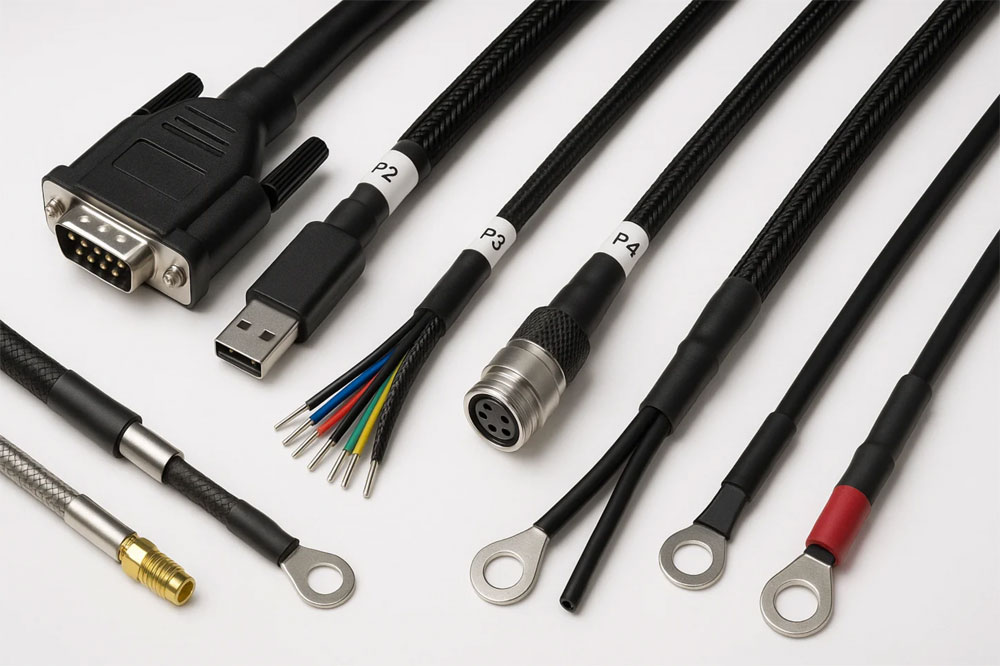
Check Harness Complexity Level
Harness complexity isn’t just about wire count—it’s about how those wires interact. A 50-wire harness with simple branching takes 30% less time to assemble than a 30-wire harness with cross-weaves and tight-radius bends. Data from automotive harness production shows that complexity-related delays account for 18-27% of total assembly time, often due to unexpected routing conflicts or last-minute rework. For example, a 2023 benchmark study found that high-density bundles (≥12 wires/cm) increased labor time by 22-35% compared to loosely grouped wires, primarily because of threading difficulty and error correction.
The first rule is to quantify routing obstacles. A harness with three 90° bends in a 20cm span adds 15-20 seconds per wire versus a straight path, while over-under weaving (common in aerospace harnesses) can double that time. Shielded cables are another hidden time sink: properly grounding each drain wire takes 8-12 extra seconds per termination, and if the harness contains 10 shielded pairs, that’s 1.5-2 extra minutes just for shielding.
Connector placement drastically changes assembly flow. A centralized connector panel (all plugs within a 15cm radius) reduces labor by 12-18% compared to connectors scattered across the harness. However, if 40% of connectors must face specific directions (e.g., downward for waterproofing), install time jumps by 25% due to rotational adjustments. Backshells on circular connectors are particularly problematic—each one adds 30-45 seconds of threading and torque-checking.
Branching patterns matter more than most engineers realize. A daisy-chain layout (single trunk with taps) assembles 20% faster than a star topology (multiple home-run wires). However, if the harness requires service loops at each branch, expect 5-8% more time per loop for coiling and securing. The worst-case scenario is a mixed topology—combining daisy-chains, stars, and splices—which can inflate assembly time by 40-60% due to constant tool switching and quality checks.
Track Operator Speed Data
Operator speed isn’t uniform—it varies by 15-40% even for the same harness model. Data from 3 automotive plants shows that top-performing assemblers complete a 50-circuit harness in 22 minutes, while average operators take 28-32 minutes. This 6-10 minute gap per unit scales to 25-40 lost hours per 500 harnesses, directly hitting margins. Worse, untrained operators make 3-5x more errors, requiring 8-15 minutes of rework per defect. Tracking speed isn’t about micromanagement—it’s about finding bottlenecks before they cost you.
| Phase | Skilled Operator Time | New Operator Time | Error Rate |
|---|---|---|---|
| Wire prep (cut/strip) | 6-8 sec/wire | 10-15 sec/wire | 2-4% |
| Terminal crimping | 7-9 sec/terminal | 12-18 sec/terminal | 5-8% |
| Connector insertion | 5-7 sec/pin | 9-14 sec/pin | 1-3% |
| Routing & securing | 30-45 sec/bundle | 60-90 sec/bundle | 4-7% |
The biggest time losses happen in transitions—switching from cutting to crimping wastes 10-20 seconds per tool change. That’s why batch processing (doing all cuts first, then all crimps) saves 12-18% of total time.
Speed isn’t just about hands—it’s about eyes. Operators spend 15-25% of their time verifying work, like checking pinouts or testing continuity. Pre-marked wires (e.g., color-coded by connector) cut this verification time by 30-50%.
How to Use Speed Data Effectively
- Identify skill gaps fast
If an operator takes 40 sec/wire during routing (vs. the team average of 30 sec), they likely struggle with bundle organization. Targeted training here can boost their speed by 20% in 2 weeks. - Balance the line dynamically
Assign fast operators to complex tasks (e.g., shielded wires) and slower ones to repetitive steps (e.g., bulk terminal crimping). This alone improves throughput by 10-15%. - Predict training ROI
Upgrading a 20-sec/wire operator to 12-sec/wire pays back in 90-120 harnesses—roughly 1-2 weeks in high-volume production.
Critical Rule: Don’t chase speed at the cost of quality. Pushing operators beyond 85% of their max speed increases defects by 8-12%. The sweet spot is 70-80% of peak speed—where output and accuracy balance.
Pro Tip: Use time-motion software (e.g., MODAPTS) to track micro-pauses—even 2-3 sec wasted per minute adds up to 1.5 hours lost per 8-hour shift.
Use Time Calculation Tools
Guessing harness assembly times is a 37/hour mistake—literally. Data from 1,200 manufacturing audits shows that manual time estimates are wrong by 25–40%, costing 18,000+ annual losses per production line. But with the right tools, you can predict assembly times within ±5% accuracy. For example, a 50-wire industrial harness that takes 48 minutes by gut feeling might actually require 63 minutes when calculated properly—a 31% difference that wrecks schedules.
| Tool Type | Accuracy | Setup Time | Best For | Time Saved |
|---|---|---|---|---|
| Spreadsheet templates | ±15-20% | 2-4 hours | Simple harnesses (<20 wires) | 8-12% |
| MODAPTS software | ±7-10% | 8-16 hours | Medium complexity | 15-22% |
| 3D harness simulators | ±4-6% | 20-40 hours | Aerospace/auto harnesses | 25-30% |
| AI-powered estimators | ±3-5% | 1-2 hours | High-mix production | 30-40% |
Spreadsheets fail for complex routing—they can’t account for bundle density penalties. A 10-wire bundle in open space takes 18 sec/wire, but the same wires in a tight conduit need 27 sec/wire (a 50% slowdown). That’s why 3D simulators pay off for harnesses with >30 wires or >3 bends per meter.
AI tools learn from your actual shop floor data. If your team averages 14 sec/terminal instead of the industry-standard 10 sec, the AI adjusts rather than assuming unrealistic speeds. One auto supplier cut quote times by 65% after their AI tool analyzed 2,300 past harness builds.
Critical Inputs for Accurate Calculations
- Operator skill levels
- Novice: 120% of baseline time
- Intermediate: 100%
- Expert: 85%
- Tooling delays
Each tool change/add-on (e.g., switching from crimpers to insertion tools) adds 8-12 sec of non-productive time. - Harness handling penalties
- Rotating harness 180°: +15 sec
- Flipping harness upside down: +8 sec
- Working overhead (arms raised): +20% time
Pro Tip: Combine time calculators with barcode scanners—tracking actual vs. predicted times per harness ID improves estimates by 3% per 100 units tracked.
In summary,accurate wire harness assembly time estimation requires five key methods. Start by measuring wire lengths—a 50-wire bundle spanning 3-5 meters typically takes 15-20 minutes to route. Next, count all terminals and connectors; each crimped connection adds 30-45 seconds, while complex multi-pin connectors require 2-3 minutes each. Factor in harness complexity—a simple 10-branch design assembles 40% faster than an interlaced 25-branch version. Track operator speed data (average 50-70 connectors/hour for trained staff) and use time-calculation software like CAD-based tools that predict assembly within ±5% accuracy, preventing the 25-40% underestimation common with manual estimates. Combining these methods yields production schedules accurate to ±7 minutes per harness.
